All guides
Restaurant & lounge
Let a customer pay later
Close a tab that isn't fully paid and record what the customer owes.
Restaurant & lounge Owner, Admin, Manager Sidebar → Tables → tap a table → Bill
Before you start
- The customer's phone number and name
Step 1: Start the payment as usual
Read: Take payment for a tabOpen the bill and choose how they pay, for example One payment.
Step 2: Type what they pay now
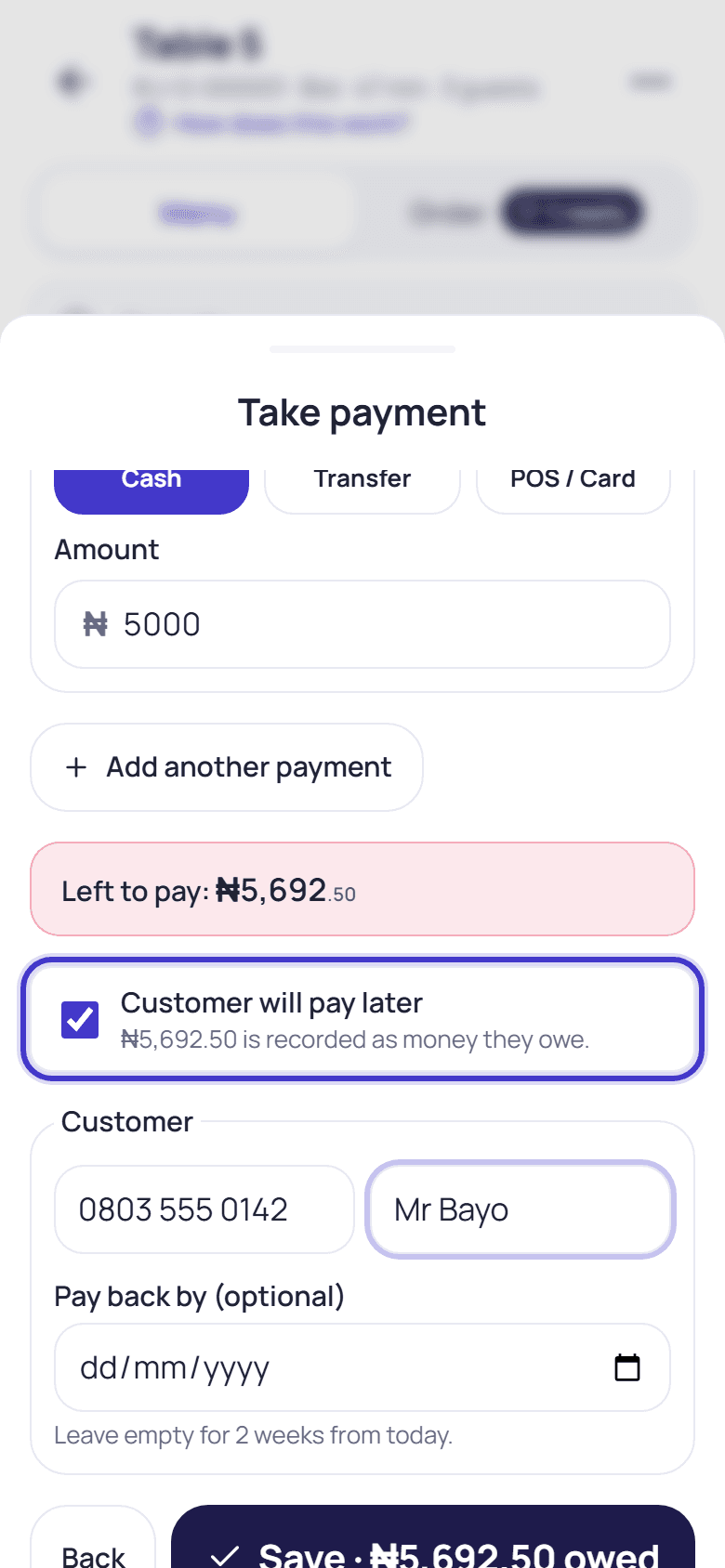
Change the Amount to what the customer is paying today. Type 0 if they pay nothing now. ShopBook shows Left to pay.
Step 3: Tick "Customer will pay later"
Tick Customer will pay later. Type the customer's Phone and Name. Both are needed. Add a Pay back by (optional) date if you agreed one; if you leave it empty, ShopBook gives them 2 weeks.
Step 4: Save
Tap Save · ₦X owed. The tab closes and the money they owe appears in Customer debt.
Be careful:Waiters and cashiers don't see Customer will pay later. If the customer can't pay it all now, call a manager to do this step.
Read next
See who owes you moneyOne list of every customer who hasn't finished paying, what they owe and who is late.Collect a debt paymentRecord money a customer brings to pay what they owe, in full or a part of it.Remind a customer on WhatsAppOpen WhatsApp with a polite reminder already typed, so the customer knows what to pay and how.