Restaurant & lounge
Take payment for a tab
Take one payment, split the bill equally or by item, mix cash and transfer, and add a tip.
Before you start
- Every item the table had was sent to the kitchen
Step 1: Open the bill
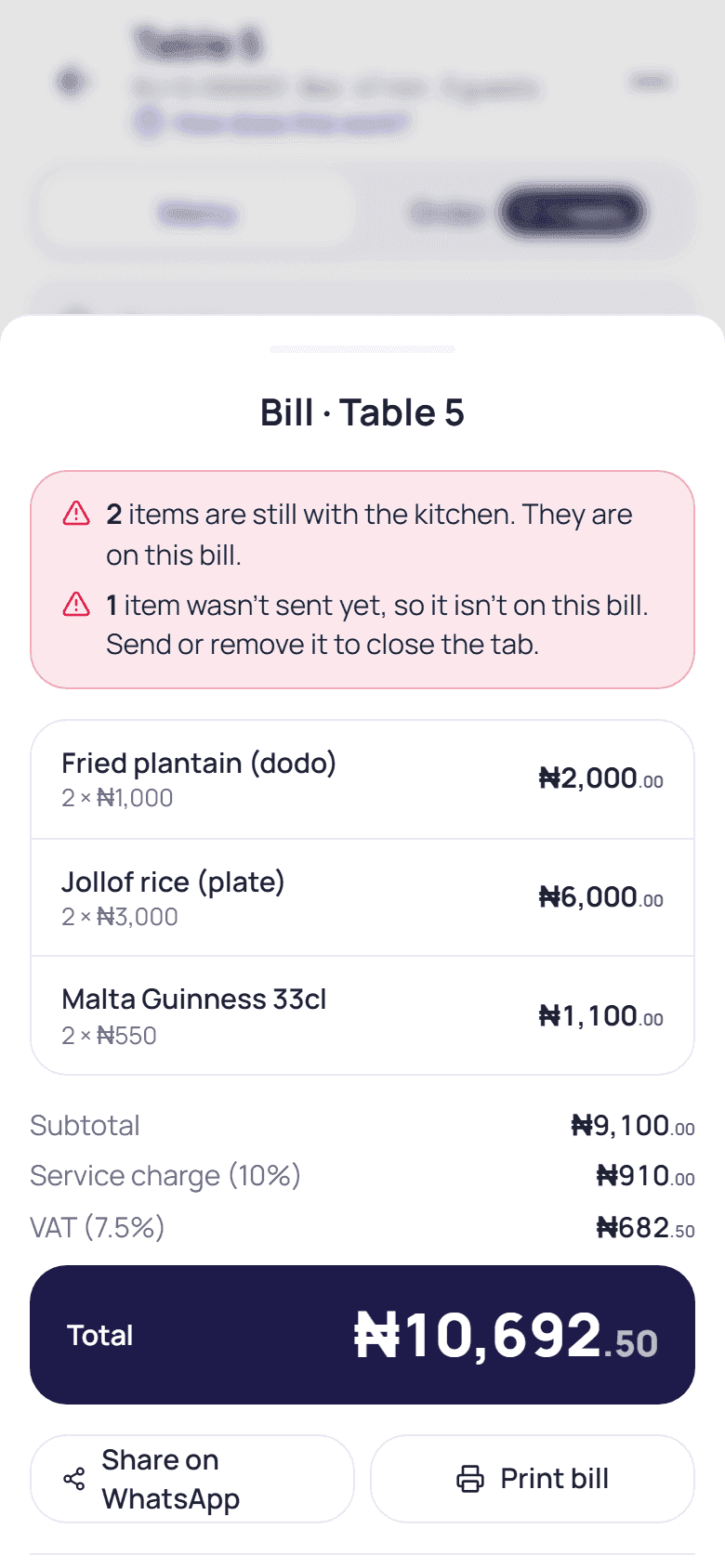
On the tab, tap Bill (a cashier taps Take payment). Under How will they pay? choose one of the three ways below.
Tip:Waiters can only take payment for their own tabs. Cashiers and managers can settle any tab.
Step 2: One payment
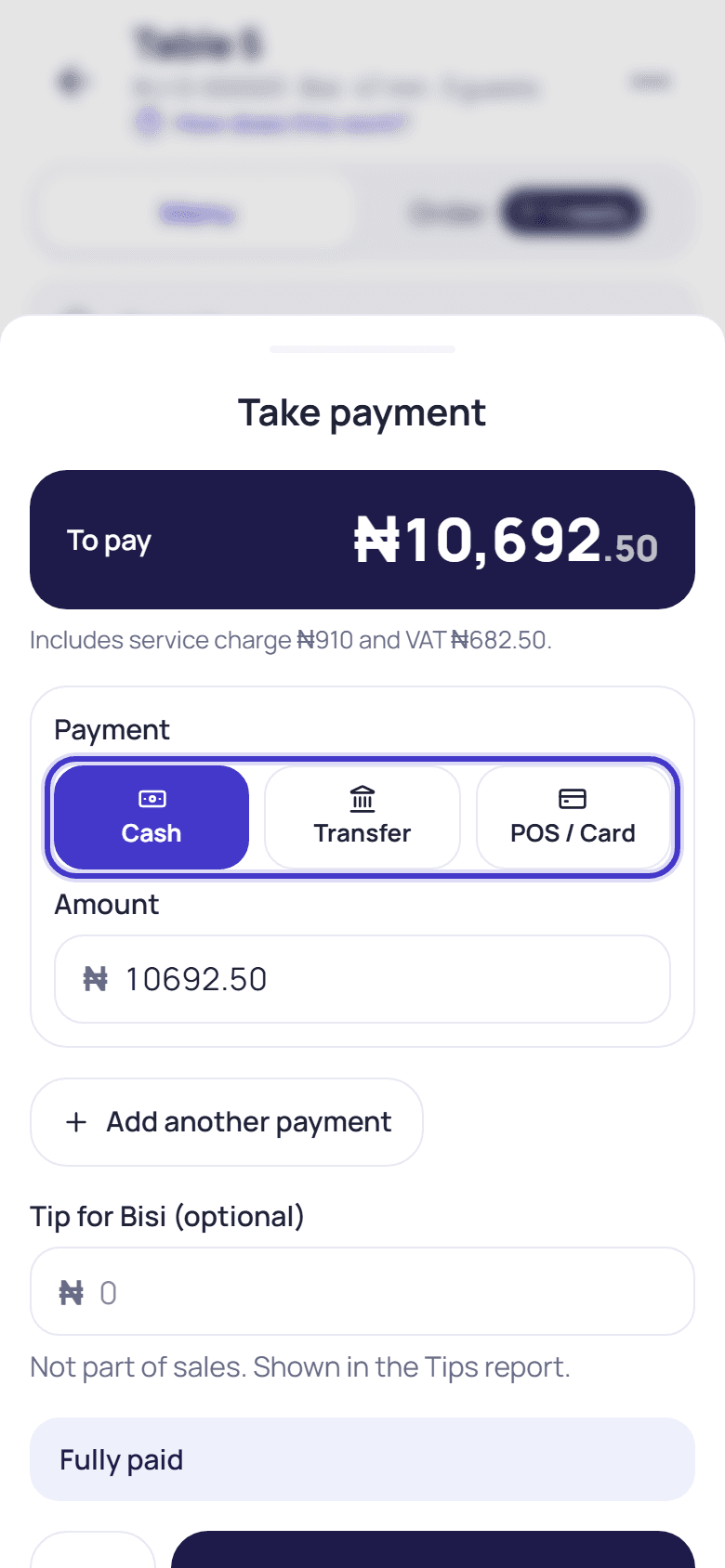
Tap One payment. Choose Cash, Transfer or POS / Card, and check the Amount.
Step 3: Mixed payment
Paying part cash, part transfer? First lower the first Amount to what they pay in cash. Then tap Add another payment. ShopBook fills in what's left and picks another method. Change it if needed. ShopBook shows Left to pay until it all adds up.
Be careful:Only cash can be given change. If the customer pays too much by transfer or POS, ShopBook asks you to lower that amount.
Step 4: Split equally
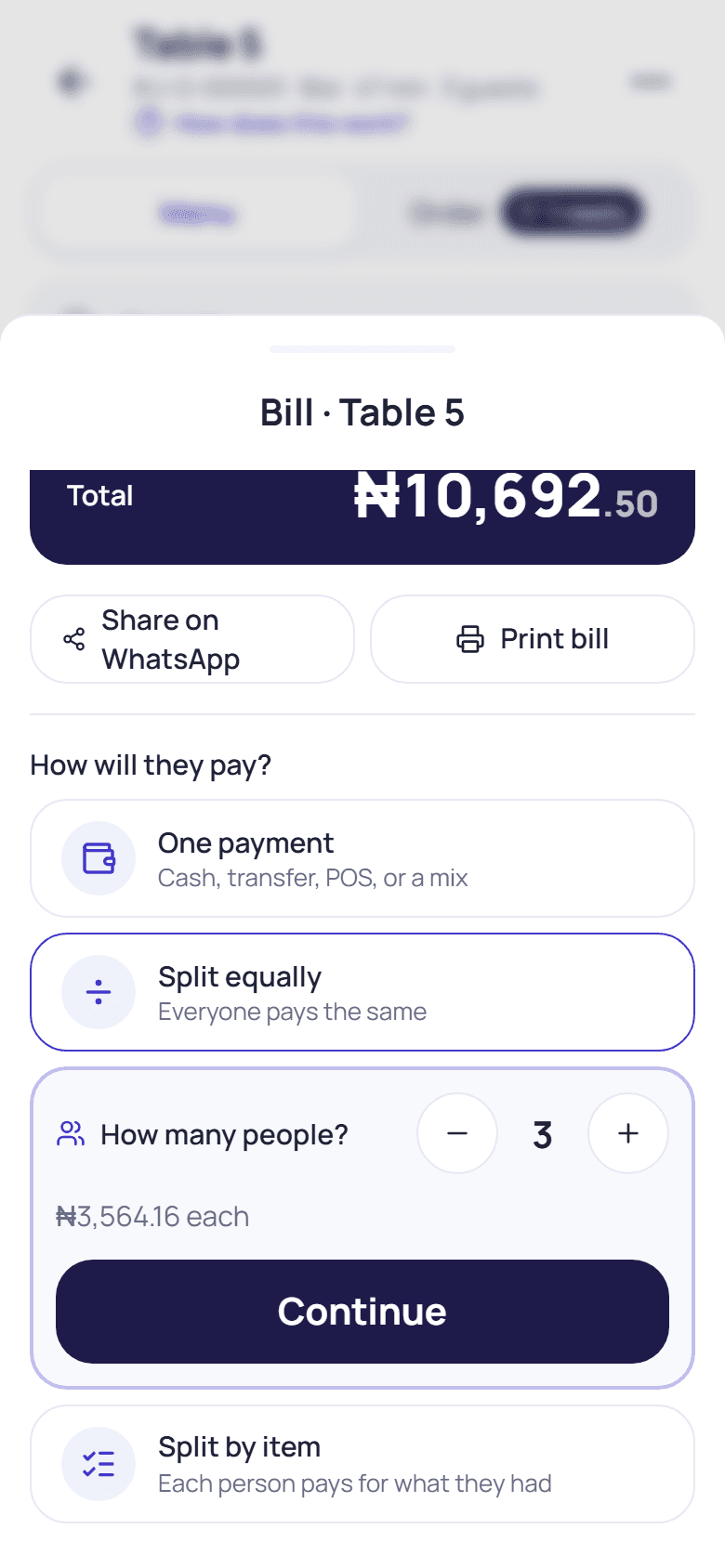
Tap Split equally. Set How many people? with + and −. ShopBook shows how much each person pays. Tap Continue, then choose how each Person pays.
Step 5: Split by item
Tap Split by item. Tick what the first person had (for 3 beers, set How many did they have?). Tap Pay this part · ₦X and take their payment. Then tap Next person and repeat.
Tip:Each person gets their own receipt.
Step 6: Add a tip
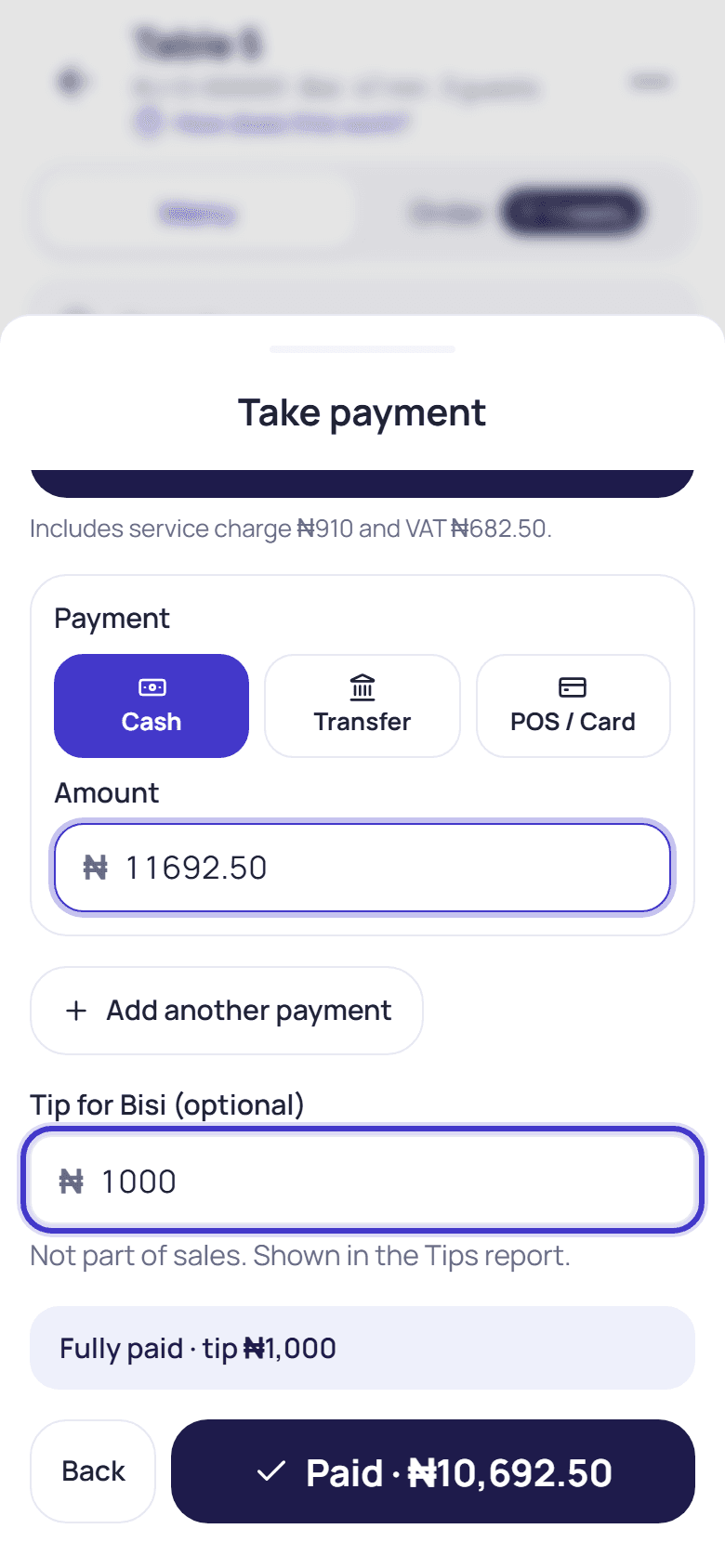
Type it in the tip box (it says Tip for and the waiter's name). Then raise the Amount by the same figure, for example a ₦10,000 bill plus a ₦1,000 tip is 11,000. If you forget, ShopBook says Add ₦1,000 more to cover the tip. Tips aren't counted as sales; you see them in the Tips report.
Read: Sales and tips by staffBe careful:A tip can only be added when the bill is fully paid.
Step 7: Finish
Tap Paid · ₦X (₦X is the amount to pay). ShopBook shows Paid, with any change to give. Tap Receipt to print, WhatsApp to send it, or Done.
Tip:When everything is paid, the tab closes and the table is free again.