Restaurant & lounge
Show or print the bill
Show a table its bill before they pay, share it on WhatsApp or print it.
Step 1: Open the bill
At the bottom of the tab, tap Bill. The button shows the amount, like Bill ₦12,000. This amount is the food and drinks only. Service charge and VAT are added on the bill itself.
Tip:After part of a tab is paid, the button says Left to pay instead.
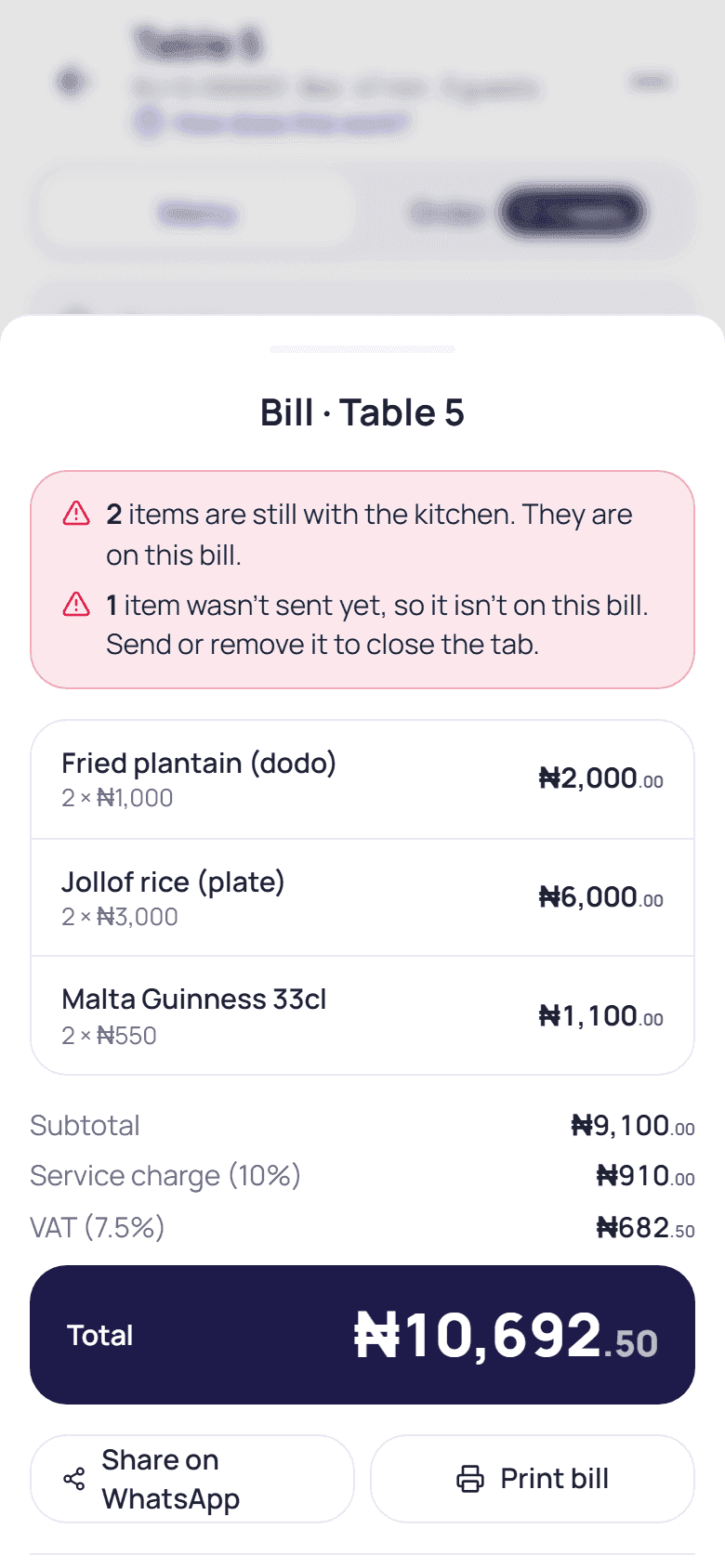
Step 2: Check the bill
You see every item, then the Service charge and VAT lines if your shop charges them, and the Total.
Be careful:Items that are still Not sent yet are never on the bill. ShopBook warns you if there are any.
Step 3: Give a discount (managers)
Owners, admins and managers see Discount (optional). Type the amount to take off. Service charge and VAT are worked out after the discount.
Step 4: Share it on WhatsApp
Tap Share on WhatsApp and choose the customer's chat.
Step 5: Print it
Tap Print bill. Choose Small printer (80mm) or A4 paper, then tap Print.
Step 6: Ready to pay?
Read: Take payment for a tabUnder How will they pay?, choose how the table is paying.