Restaurant & lounge
Answer a guest's call
See when a table calls you or asks for the bill from the QR menu, and mark it handled.
Step 1: Spot the call
When a guest taps a button on the table's QR menu:
- A bar appears at the top of the Tables screen, like Table 5 is calling you or Table 5 wants the bill.
- The table's tile glows and says Calling you or Wants the bill.
- Tables in the menu shows a number: how many tables are waiting.
Tip:Keep the Tables screen open during service. It updates by itself every few seconds.
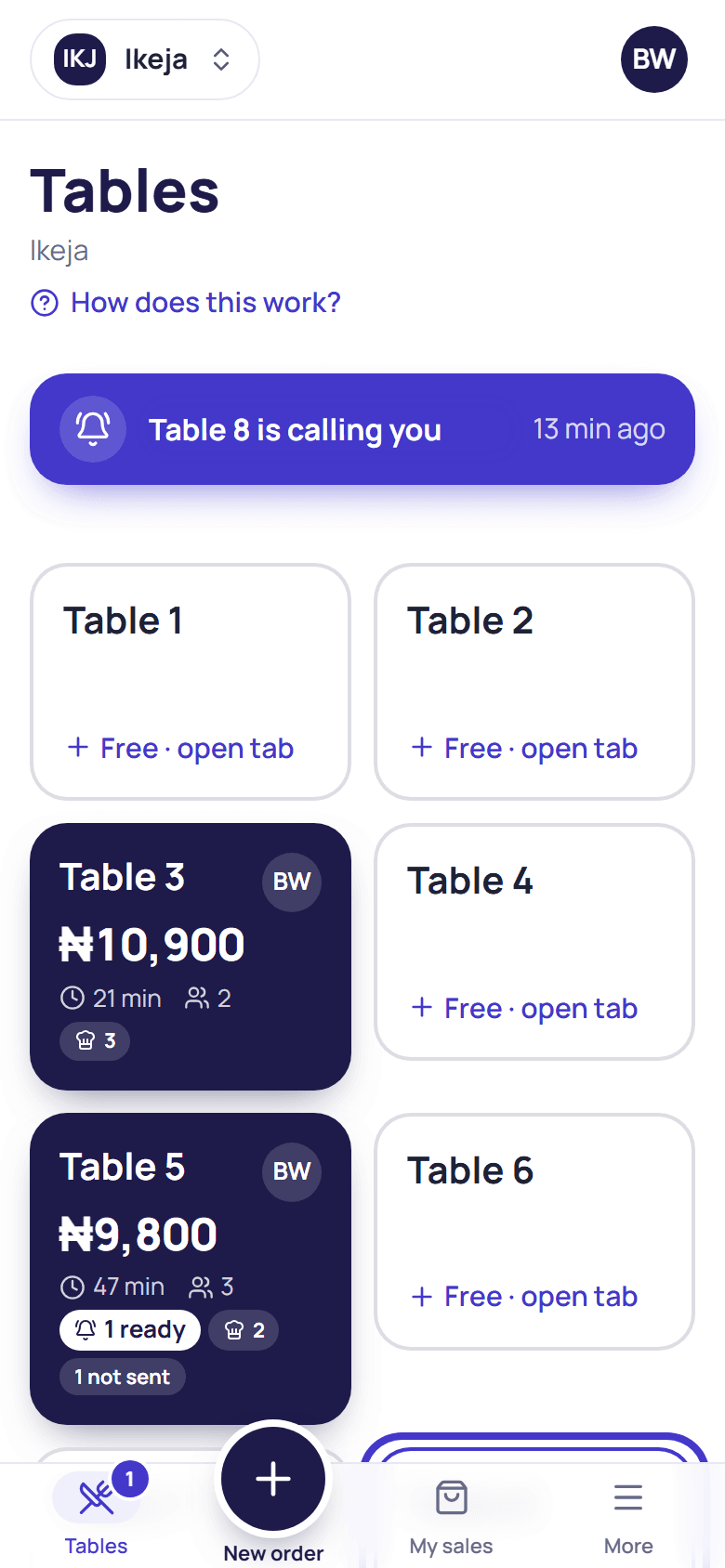
Step 2: Open the call
Tap the bar or the table's tile. You see what they asked for and how long ago.
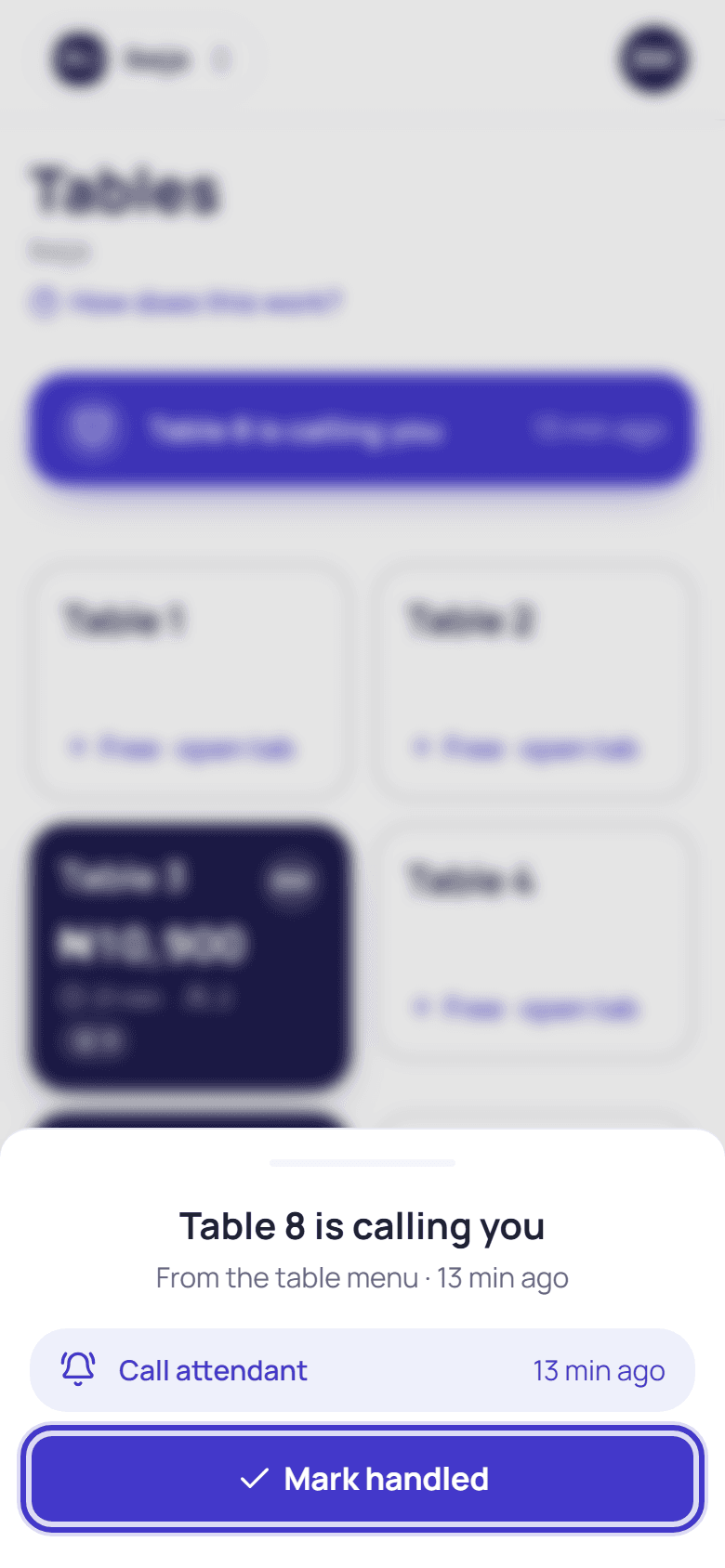
Step 3: They want the bill
Read: Show or print the billTap Open the bill. The call is marked handled and the bill opens, ready to show or take payment.
Step 4: They're calling you
Tap Go to the tab to mark the call handled and open their tab. Or go over to the table, then tap Mark handled.
Step 5: Always mark it handled
Tap Mark handled once you've helped them. The glow goes away for everyone, so two waiters don't go to the same table.
Be careful:Waiters only see Open the bill for their own tabs. For someone else's table, go and help, then tap Mark handled.