Customer debt
Collect a debt payment
Record money a customer brings to pay what they owe, in full or a part of it.
Before you start
- You have picked one shop at the top (not **All shops**)
Step 1: Open the customer's debt
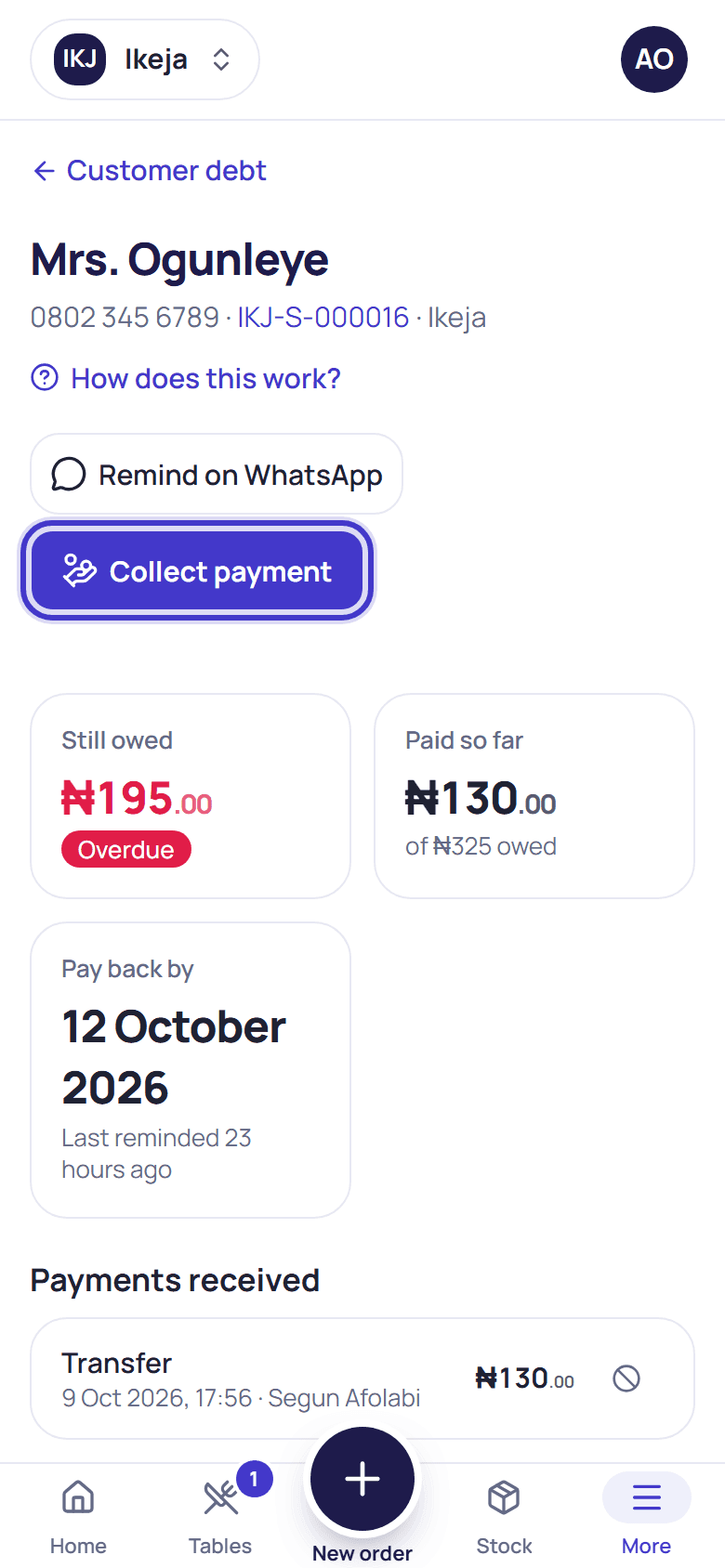
Go to Customer debt and tap the customer's name. You can also tap Collect debt on the Home screen.
Step 2: Tap Collect payment
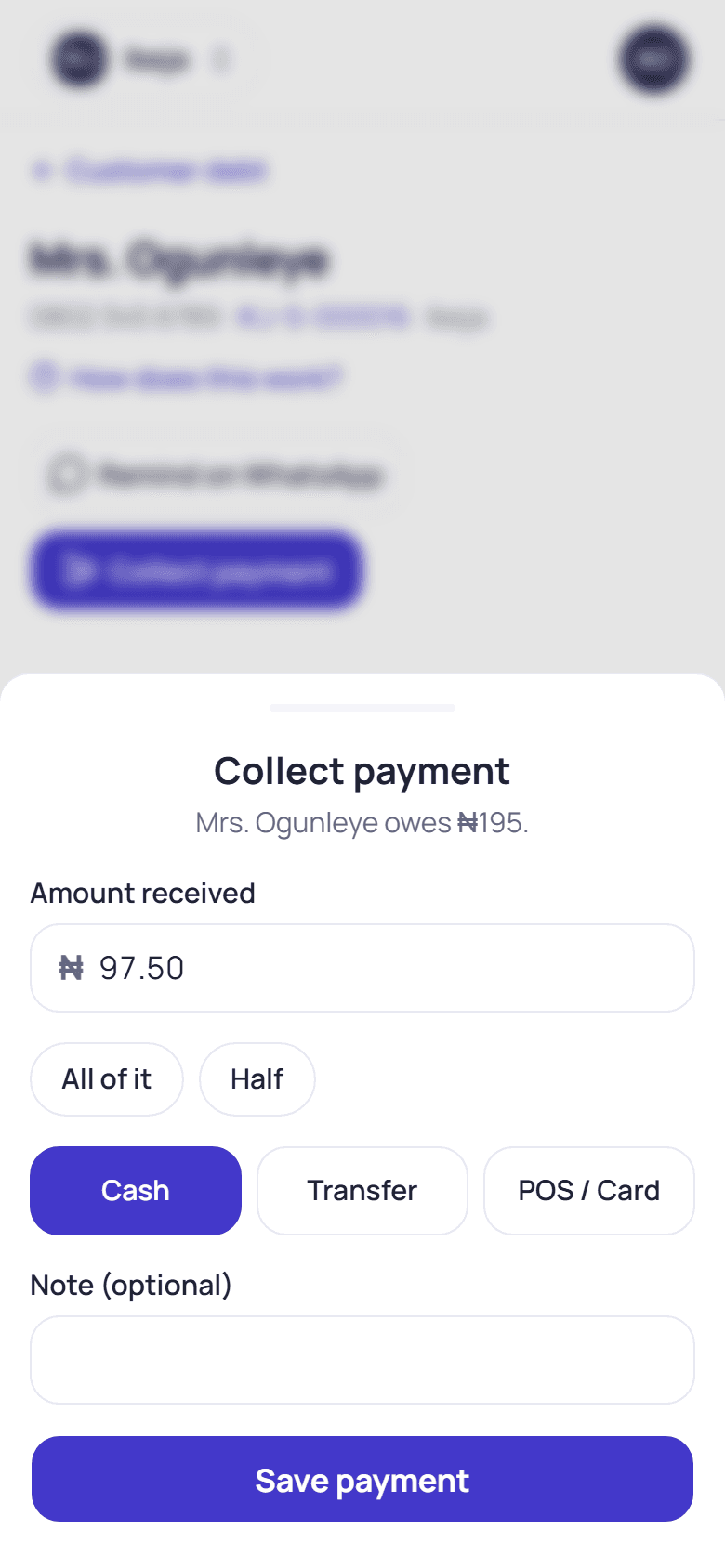
Tap Collect payment. The box shows what they owe, for example Ada owes ₦4,000.
Step 3: Enter how much they paid
Amount received is already filled with everything they owe. If they pay everything, leave it. If they pay only part, type that amount, for example ₦2,000. You can also tap All of it or Half.
Be careful:You can't enter more than they owe. If they gave extra, give back the change.
Step 4: Choose how they paid
Tap Cash, Transfer or POS / Card. Add a Note (optional) if it helps, like paid by her husband.
Step 5: Save
Tap Save payment. ShopBook says Ada has paid in full., or for a part payment something like ₦2,000 received. ₦2,000 still owed.
Tip:A part payment changes the label to Part paid. Collect the rest the same way next time.
Step 6: Where it shows
Read: Daily sales reportThe payment appears under Payments received with the date and your name. It also counts as Debt collected on that day's Daily sales report.