Reports
Daily sales report
See everything sold on one day: totals, how customers paid, credit given, debts collected and best sellers.
Step 1: Pick the day
The report opens on today. Use the arrows for the day before or after, or choose a date in the box and tap Show. Tap Today to come back.
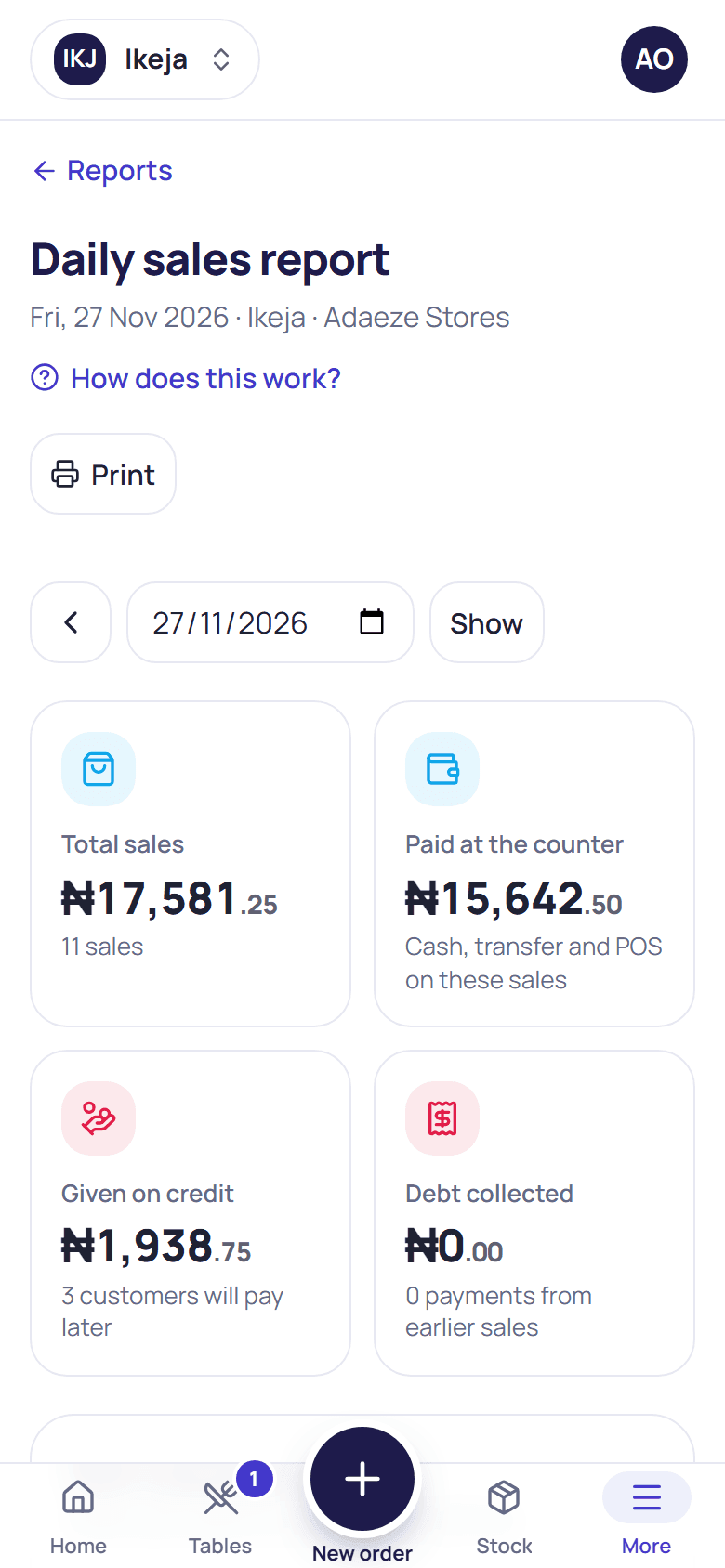
Step 2: The four boxes at the top
- Total sales: the value of all sales that day.
- Paid at the counter: cash, transfer and POS taken on those sales.
- Given on credit: the part customers will pay later.
- Debt collected: money paid that day for earlier credit sales.
Tip:Money that came in today = Paid at the counter + Debt collected.
Step 3: How customers paid
One row each for Cash, Transfer and POS / Card: how many sales, their Total, and what was Paid now. Use the Cash row to check the cash in your drawer at closing.
Be careful:Debt collected is not inside this table. If customers paid old debts in cash today, add that cash too.
Step 4: Sales by staff
Read: Sales and tips by staffWho made the sales that day, how many, and for how much.
Step 5: Best sellers
Best sellers by quantity shows the 10 products sold most. Best sellers by money shows the 10 that brought in the most money.
Step 6: Cancelled sales
Read: See your sales and cancel a saleHow many sales made that day were later cancelled, and what they were worth. They are not in the totals above.
Step 7: Profit for the day
Read: Profit & loss: what you really madePeople who can see profit also get Money from sales, Cost of the goods sold, Profit before costs, Money spent and the day's Profit.
Step 8: Restaurants: service charge, VAT and tips
If your bills add a service charge, VAT or tips, a box shows each one. Tips go to staff and are not sales.