Reports
Profit & loss: what you really made
See money from sales, what the goods cost, what you spent, and the profit left over.
Before you start
- Your products have a **cost price** (what you pay the supplier)
- Your business expenses are recorded
Step 1: Choose the period
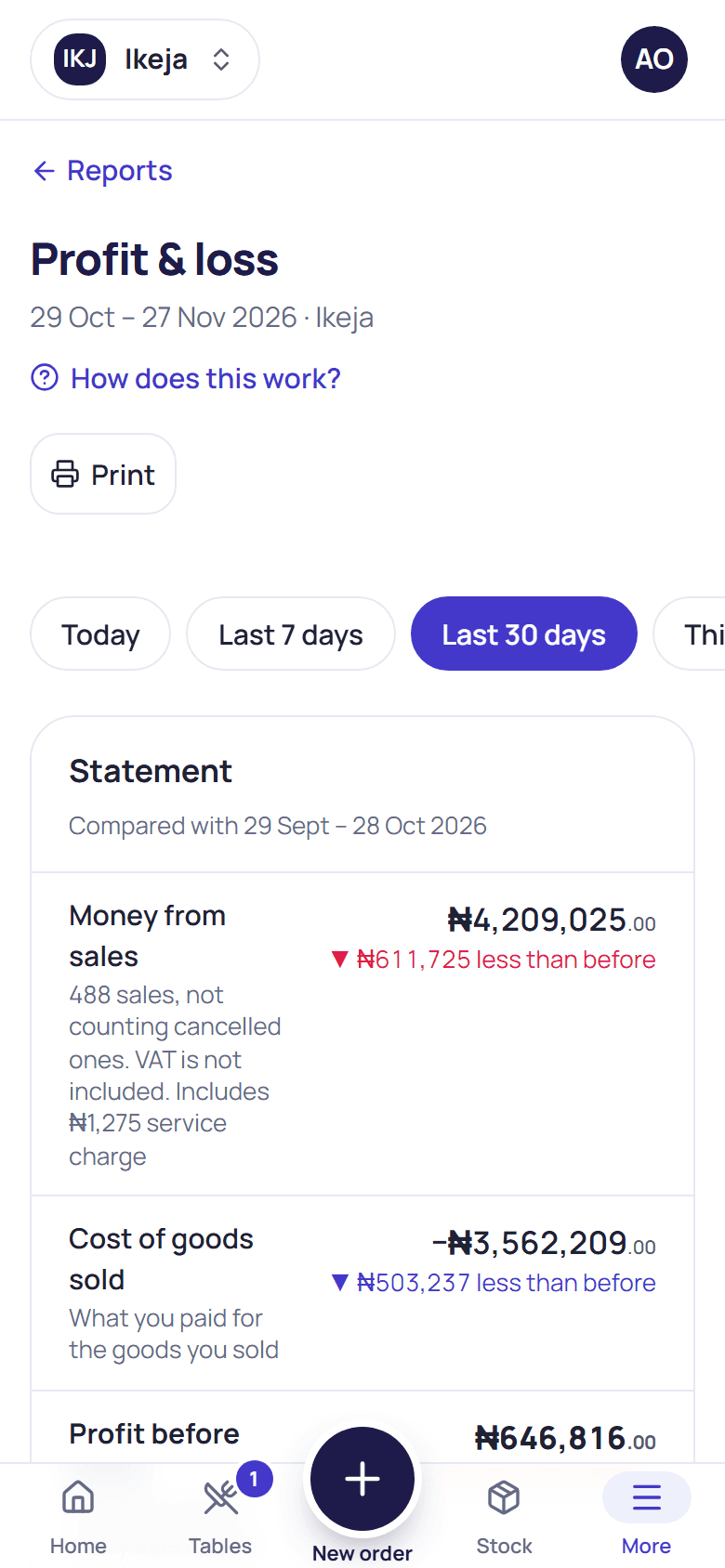
The report starts on Last 30 days. Tap another period, like This month or Last month.
Step 2: Money from sales
The value of all sales in the period, not counting cancelled ones. VAT is left out because it belongs to the government.
Step 3: Cost of goods sold
What you paid for the goods you sold. ShopBook uses the average cost of each product at the time of the sale.
Read: Record stock you boughtBe careful:If a product has no cost price, or the cost is wrong, your profit will look too high. Record the stock you buy with the price you paid.
Step 4: Profit before costs
Money from sales minus cost of goods. It also tells you the share you keep, for example You keep 25% of every sale before running costs.
Step 5: Money spent
Read: Record money spentRent, salaries, transport, fuel and other running costs, grouped by category. In All shops, costs for the whole business show under Whole business. Then Total money spent.
Step 6: Profit
The big number at the bottom: what the business really made after all costs. Under each number you see how it changed against the period before, for example ▲ ₦20,000 more than before.
Step 7: Not counted above
VAT you collected and tips for staff are shown separately at the bottom. They are not your money, so they are not in the profit.
Step 8: The charts
Profit before costs, per day shows good and bad days. Where the money went shows your biggest costs.
Read: I can't see profit or cost pricesTip:Can't open this report? Your role doesn't include See profit. Ask the owner.