Customer debt
Remind every late customer, one after another
Go through all overdue customers in one go, opening WhatsApp for each with the message ready.
Before you start
- At least one customer is past their pay-back date
- WhatsApp is on the phone or computer you are using
Step 1: Start
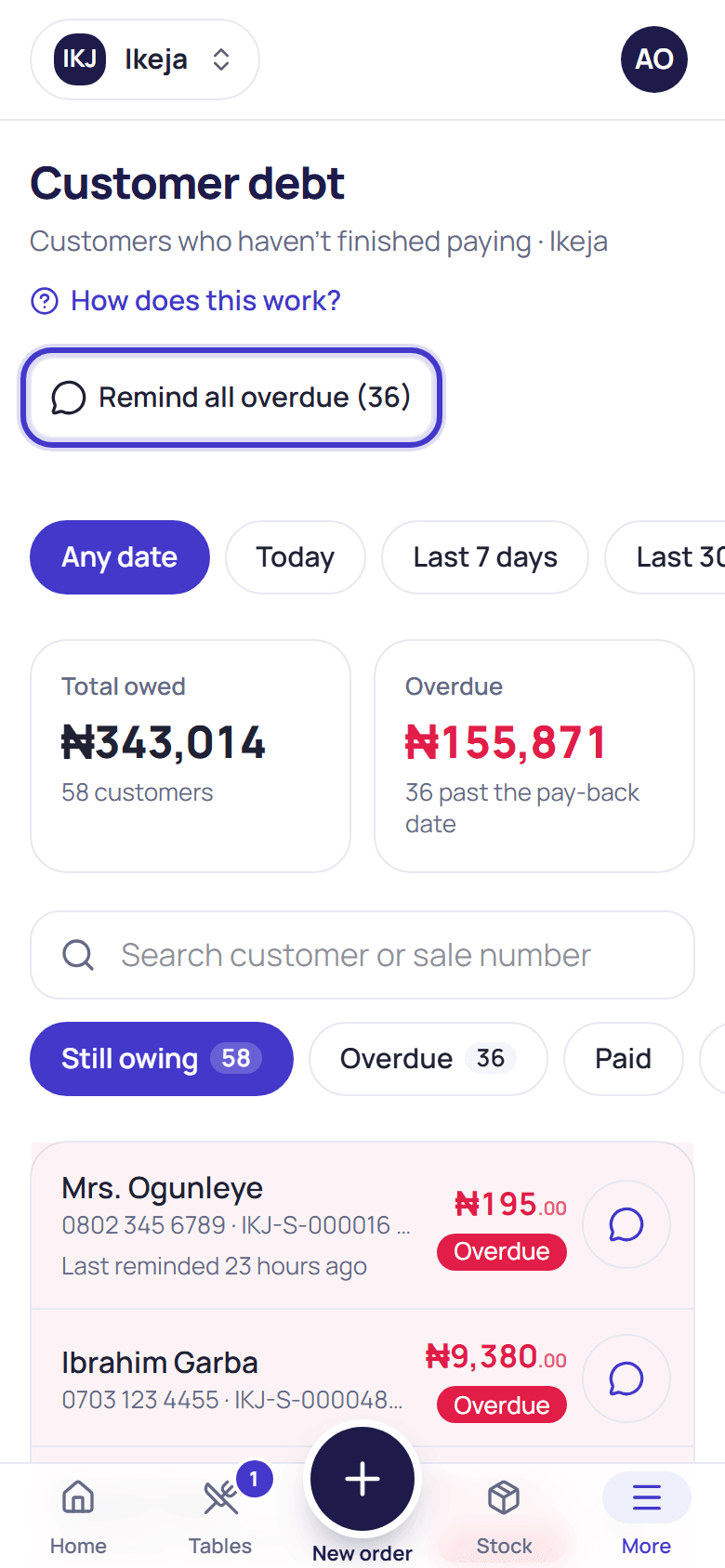
Open Customer debt. When someone is late, a button appears at the top, for example Remind all overdue (5). Tap it.
Tip:Don't see the button? Nobody is overdue right now.
Step 2: One customer at a time
ShopBook shows the first customer: name, what they Owe, and when it was due. At the top it counts, for example 1 of 5.
Step 3: Open WhatsApp
Tap Open WhatsApp. Your WhatsApp opens with that customer's chat and the reminder typed. Press Send, then come back to ShopBook. The next customer is already showing.
Be careful:Nothing is sent automatically. If you don't press Send in WhatsApp, the customer gets nothing.
Step 4: Skip someone
Tap Skip — next customer to leave someone out, for example if you reminded them yesterday. ShopBook says maybe skip for today when they were reminded in the last 24 hours.
Step 5: Customer with no phone
Read: Remind a customer on WhatsAppIf it says No phone number. Open this debt to add one., skip them for now. Later, open their debt and add the number.
Step 6: Finish
After the last customer you see All done and how many you opened WhatsApp for. Tap Close.